Online vs In-Person Coding Classes for Kids: Which Fits Better? (2026)
Which Is Better?9 min read
Parent Guides
Maya Putri
Early Childhood Education Specialist
Coding for grade 5 and 6 kids in Indonesia (ages 10-12) works best when a child starts with Scratch and then moves to Python or to Roblox with the Lua language. At this age children can handle variables, conditions, and loops, so a small project fits into 4-6 lessons. Below you will find the topics for each path, five realistic project ideas, and what helps before Informatika in SMP (junior high).
Kids in grade 5 and 6 of SD (elementary school) learn five core ideas: sequences, loops, conditions (if-then), variables, and functions. The ideas are the same in Scratch, Python, and Lua. Only the way you write them differs: with snapped-together blocks or with typed code.
Here is how the ideas look in practice for a child who touched coding in grades 3-4:
| Idea | Scratch example | Python example |
|---|---|---|
| Sequence | A character walks, stops, then speaks | Two print("Hello") lines in order |
| Loop | A "repeat 10 times" block for an animation | for i in range(10): |
| Condition | "If touching the edge, turn around" | if score > 10: |
| Variable | A "score" variable that goes up | score = score + 1 |
| Function | A custom block | def jump(): |
A child who starts only in grade 5 can still catch up. Begin with Scratch for about 8-12 lessons, then move to typed code. For an age-by-age overview, see what age kids can start learning coding and our guide to coding for primary school kids. If you also have a younger child, read coding in grade 1 and coding in grade 2.
For ages 10-12 three paths make sense, and the best choice depends on what keeps your child at the screen willingly.
| Path | Fits a child who | Topics | Estimated time to a first project |
|---|---|---|---|
| Scratch (advanced level) | Likes assembling things, is not yet comfortable typing | Variables, logic operators, object cloning, scoring, simple AI apps | 2-3 lessons |
| Python | Types fluently, likes logic and numbers | Basic syntax, conditions, loops, functions, small console apps | 4-6 lessons |
| Roblox Studio with Lua | Likes 3D worlds and wants to build what they usually play | Lua scripts, 3D world building, NPCs and quests | 4-6 lessons |
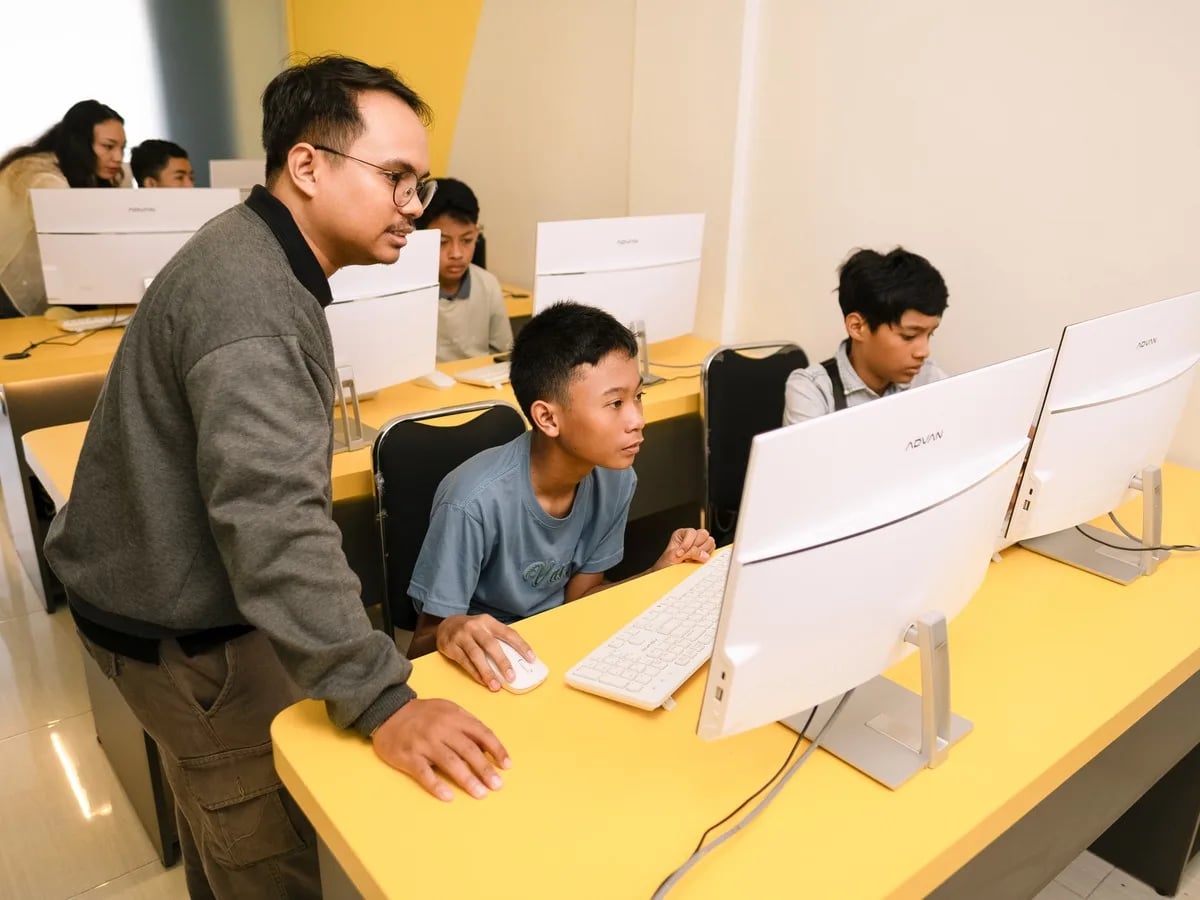
At Algonova the coding classes for grade 5-6 follow these three paths: Scratch with 7 modules, Roblox with Lua with 6 modules, and Python Junior. Each course has 36 lessons of 90 minutes a week, with at most 10 children per class. Details are on the coding classes for grades 3-6 page.
Python does not have to be the first choice. A child who has finished one Scratch course usually switches more easily, because the logic is already familiar and only the writing is new. More on this in Python courses for kids and what Scratch is.
A good project for grade 5 and 6 is small enough to finish in a few weeks but has one part that makes the child think.
One quiz that works and can be shown to the family beats a big project that never gets finished.
The most useful coding skill for SMP is step-by-step thinking: breaking a problem into steps and checking the result. In SMP, children usually meet the Informatika subject, which covers computational thinking, algorithms, and basic programming. A child who already knows variables and conditions is rarely surprised by that chapter.
Coding also connects to math. A variable in code is similar to the variable in algebra that starts to appear in SMP: a name that holds a value and can change. A child who has made a "score" variable accepts "x" in a problem more easily. For math practice, see grade 6 math problems with solutions.
Practical skills before leaving SD:
Coding and Artificial Intelligence is now an elective subject in schools, but how it is taught varies. According to Kemendikdasmen (Permendikdasmen Number 13 of 2025, page viewed 2 November 2026), this elective applies in stages from the 2025/2026 school year, starting from grade 5 of SD. Because it is elective, not every school offers it yet. Ask the homeroom teacher whether your child's school does and what it covers.
Coding classes outside school fill the gap: longer sessions, a teacher who guides projects, and practice at a time of your choosing. For kids who want to test themselves there are coding competitions for SD and SMP students, and practice can start with Scratch questions and answer keys.
Grade 5 kids usually still have a looser schedule, so they suit one full course. Grade 6 kids start sharing their hours with exam preparation and junior high selection, so their plan should be lighter.
| Grade 5 | Grade 6 | |
|---|---|---|
| Main goal | Build the basics, try the paths | Go deeper into one path, finish a portfolio project |
| Sensible rhythm | Once a week, 60-90 minutes | Once a week, can be reduced during exams |
| Watch out for | Do not stack it on top of other clubs | Do not let it disturb TKA and exam preparation |
For grade 6, fit the schedule around TKA SD preparation. Coding should be a light weekly activity, not an added burden.
Kids in grade 5 and 6 need a laptop or computer, because Scratch, Python, and Roblox Studio are not comfortable on a phone. Minimum specs and when a tablet is enough are covered in laptops for kids learning to code.
Three habits that help:
Yes, a grade 5 child is about 10-11 years old and old enough to learn coding seriously. Children this age can grasp variables, conditions, and loops, the three ideas at the core of Scratch, Python, and Lua. A child who has never coded can start with Scratch for 8-12 lessons, then move to typed code once comfortable. Interest and a steady schedule matter more than age. At Algonova the path for ages 10-12 has 36 lessons of 90 minutes, and a free 60-minute trial class is available to see whether the child fits.
Scratch suits a child who is just starting, and Python suits a child who types fluently and likes logic. A grade 6 child who has finished one Scratch course can usually move to Python smoothly, because variables and conditions are already familiar. Roblox with Lua suits a child interested in building 3D worlds. No single language is best for every child. Pick the one that makes your child want to come back next week, then switch when the child is ready.
Coding trains thinking that math also uses: splitting a problem into steps and checking the result. A variable in code resembles a variable in algebra, so a child used to variables accepts "x" more easily in SMP. Still, we do not promise a specific grade improvement. Coding does not replace practice problems or memorizing formulas. Realistically, coding makes a child more patient about trying step by step when a problem feels hard.
Once a week for 60-90 minutes is enough for steady progress. This matches the Algonova course schedule of 90 minutes a week. Adding more sessions rarely helps because grade 5 and 6 kids also have homework, clubs, and exam preparation. A grade 6 child can even pause for a week or two during exams. What matters is a fixed schedule and one project in progress, so the child does not start from zero each time.
Your child needs a laptop or computer available during class time, not necessarily their own. Scratch, Python, and Roblox Studio are comfortable on a big screen with a keyboard, while the class cannot be followed on a phone. The specs needed are usually modest. Before buying a new laptop, join a trial class first to check that the device you already have is enough.
Some schools already offer it as an elective subject. According to Kemendikdasmen, Coding and Artificial Intelligence is an elective that applies in stages from the 2025/2026 school year, starting from grade 5 of SD. Because it is elective, each school's readiness differs. Ask the homeroom teacher whether it exists, how many hours a week, and what tools are used. If it does not exist yet, coding classes outside school can fill that part.
Coding classes at Algonova start from Rp 102,000 per lesson for online classes with a live teacher and at most 10 children per class. Prices vary with the lesson length of 45, 60, or 90 minutes and the number of lessons you choose. The 60-minute trial class is free with no credit card, so you can see how the teacher teaches before paying. To compare with other providers, read our article on online coding courses for kids.
It can be, as long as you start from the child's interest. Kids who like playing are often excited to learn they can make what they usually play. That is why the Roblox or Scratch path is often the way in. Parents only need to keep study time and play time separate and judge progress by finished projects, not by hours spent at the screen.
A child is ready when they can build a Scratch project with variables, conditions, and loops without step-by-step guidance. Extra signs: Scratch starts to feel too limited, and typing with both hands is comfortable. If either is missing, add one more Scratch project first. Moving too early frustrates a child because of typing mistakes, not because the logic is hard.

Algonova worldwide
Contact
Whatsapp: +62 21 50996971
Email: info@algonova.id
Address
Coworking Area, Gedung IT 6 Lantai Dasar, Nongsa Digital Park, Jalan Hang Lekiu, Kelurahan Sambau, Kecamatan Nongsa, Batam, Indonesia Directorate General of Consumer Protection and Trade Compliance – Ministry of Trade of the Republic of Indonesia. WhatsApp Ditjen PKTN: 0853-1111-1010.
PT Algonova Indonesia Cerdas All rights reserved 2026