
Best Online Tutoring in Indonesia for Primary Kids: A 9-Point Checklist for Parents

Checklists & Calendar13 min
Learn Coding

Fajar Hidayat
Coding Curriculum Team, Algonova
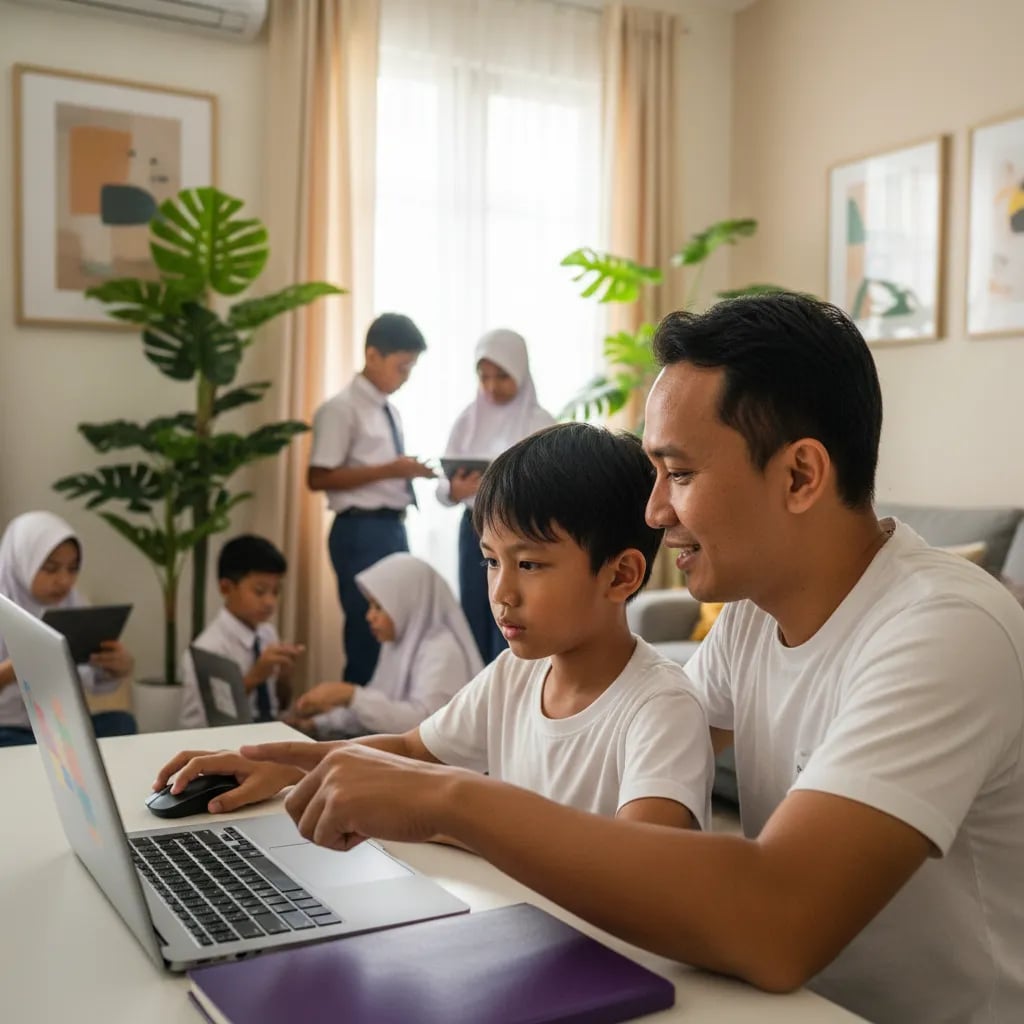
How to make a game with AI safely with a child comes down to splitting the jobs: the AI helps plan the idea and explains each step, and the child builds the game in Scratch with their own hands. A child aged 8 to 12 can finish one simple game in about 90 minutes. ChatGPT requires users to be at least 13, so for primary school kids the rule is simple: the parent holds the AI account, the child holds the mouse.
AI can write the code for a simple game in seconds, but it often gets things wrong when you ask it to change that game, so the child still needs to understand the logic behind it.
Ask ChatGPT for a number-guessing game and you will get Python code that often runs on the first try. Canva Code can even turn one sentence into an interactive quiz.
The trouble starts when the game needs to change. The AI can't see your child's screen, so it sometimes names Scratch blocks that don't exist or gets the direction of movement wrong. A child who doesn't understand the logic gets stuck right there, with a game that is almost done and can't be fixed.
That's why the most useful role for AI is a patient study buddy. The child still builds the game, so they understand every part of it.
The best-known AI tools for making games, ChatGPT, Gemini and Canva Code, all set a minimum age of 13, so a primary school child should use them with a parent or teacher.
The other three tools in the table were built for students and are safer for kids to use alone.
| Tool | What the AI does | Age rules | For kids aged 8-12 |
|---|---|---|---|
| Scratch | No built-in generative AI. This is where the child builds the game from blocks | Free. Under-16s need a parent's email to confirm the account | Child uses it alone |
| Code.org Dance Party: AI Edition | Emojis the child picks become prompts for dance visual effects | Designed for grades 3-12 | Child uses it alone, good for practice |
| Machine Learning for Kids | The child trains a simple AI model with examples, then uses it in Scratch | Free. "Try it now" mode needs no account, but work isn't saved | With an adult nearby |
| ChatGPT | Plans the game, explains steps, helps find mistakes | 13 and up. Under 18 needs a parent's permission | From a parent's account |
| Gemini | Same as ChatGPT | Own account from 13. Under 13 only if a parent turns it on through Family Link | Through Family Link or a parent's account |
| Canva Code | Makes a quiz or interactive game from a text prompt | Under 13 only through Canva for Education | With a parent or teacher |
Google's own help page on Gemini for children says its content filters aren't perfect and that kids should be reminded Gemini is a tool, not a friend to confide in. A longer list is in our article on AI tools that are safe for kids. House rules for chatbots are covered in ChatGPT for kids: a parent's guide.
Making a simple game with AI takes 5 steps and about 90 minutes: an idea on paper, a plan from the AI, building in Scratch, testing, and one extra feature.
The project is a game called "Catch the Apple". Apples fall from the top of the screen, the child moves a basket left and right, and every apple caught adds a point. You need a laptop, a Scratch account for the child, and ChatGPT or Gemini on the parent's account.
Before opening the AI, ask your child to write down who the main character is, what the goal is, and when the game ends. A typical answer: the character is a basket, the goal is to catch 10 apples, and you lose if 3 apples hit the ground. A child with their own plan treats the AI as a helper, and the plan stays theirs.
The parent opens ChatGPT or Gemini and the child dictates the idea. Ask the AI to break the game into small steps and explain them one at a time. Sample prompts are in the next section.
The child puts the blocks together following the AI's plan, step by step. The basics, like making a sprite (a character in Scratch), moving it with the arrow keys and keeping score, are in our guide on how to make a game in Scratch.
Whenever they get stuck, the child explains the problem to the AI in their own words. They try the AI's suggestion in Scratch first and keep it only if it works.
This is usually where kids see that AI makes mistakes too. Here is an example of what can happen: the AI tells the apple to "fall" by increasing its y value.
In Scratch, though, a smaller y means lower on the screen, from 180 at the top edge of the stage to -180 at the bottom. So the apple flies up instead.
When the child works out the cause on their own, they are learning to debug. Programmers do the same thing every day: try something, look at the result, fix it.
Ask the AI for a few ideas and let your child choose one: a sound when an apple is caught, apples that fall faster over time, or rotten apples that take a point away. If your child is curious about AI inside a game, try Machine Learning for Kids the following weekend. There the child trains a model to recognise words, and the model then moves a sprite in Scratch.
Once the first game is done, the same method works for the next project. Theme ideas are in our list of Scratch project ideas for primary school kids.
A good AI prompt for making a game has four parts: the AI's role, the game idea, the tool you're using, and an instruction to explain one step and then stop.
The last part matters most. Without it, the AI tends to write out every step at once and the child just copies.
Prompt for the plan:
You are a coding teacher for a 10-year-old. We want to make a game called "Catch the Apple" in Scratch: the basket moves with the arrow keys, apples fall from the top, and the score goes up when an apple is caught. Break the game into 6 small steps. Explain only step 1 in simple words, then wait for our next instruction.
Prompt when you're stuck:
The apple in our game isn't falling, it's going up. These are the blocks we used: [write the blocks]. Don't give the answer directly. Give one hint so the child can find the mistake.
Prompt for feature ideas:
Give 5 ideas to make "Catch the Apple" more fun. Each idea must be something a beginner can build in Scratch in 15 minutes.
The line "don't give the answer directly" makes the AI hint like a teacher would, so the child keeps thinking. We cover this kind of practice in prompt writing for kids.
There are four main risks when a child makes a game with AI: leaking personal data, breaking age rules, getting wrong code, and ending up with a game they don't understand.
Personal data. Teach one rule: never type your full name, school name, address or phone number into a chatbot, and never upload a photo of your face. The AI doesn't need any of that to help make a game.
Minimum age. ChatGPT requires users to be at least 13, with a parent's permission until 18. Gemini for under-13s has to be switched on by a parent through Family Link, and Canva at that age works only through Canva for Education. If your child is too young, use the AI from your own account while you sit next to them.
Wrong code. AI answers in a confident tone even when it's wrong. Get your child used to testing every suggestion in Scratch before trusting it.
A finished game they don't understand. Canva Code and similar tools can hand over a complete game, so making a game without coding is possible. But when the child wants to add a level, all they can do is ask the AI again and hope the result fits. The same problem shows up when kids make an app without coding.
In its policy guidance on AI and children, UNICEF asks that AI systems used by children protect their safety and privacy. At home, the simplest version of that is a parent who sits nearby and asks now and then, "Can you explain why you used this block?"
Kids should still learn to code because a child who understands variables, loops and conditions can check and fix the AI's answers on their own.

AI speeds up people who already know what they're building. A child who doesn't understand the basics can only copy and hope it works.
A sensible path for ages 8 to 12 starts with Scratch for the core logic and only then brings in AI. For grades 3 to 6, Algonova's coding classes for primary school kids start with Scratch and simple games. In Algonova's AI class for kids, children learn how AI works, build projects with it and then move on to Python. The full route from Scratch to a first AI project is laid out in our AI learning path for kids.
Kids aged 10 to 14 who would rather design games can join the Game Design class in Roblox Studio. They work out the rules, levels and scripts until friends can play the game. For a first look, read how to make a game in Roblox Studio for beginners.
All classes run live online with a tutor, in groups of up to 10 children, in 45, 60 or 90 minute lessons, from Rp 102,000 per lesson. More than 1,000,000 students in 97 countries have studied with Algonova, and parents rate it 4.9. To see whether your child enjoys this, start with a free 60-minute trial class.
Yes. Tools like Canva Code can build a simple game from one text prompt, but without coding logic the child will struggle to change it. Say an 11-year-old asks the AI for an animal-guessing quiz, and it works right away. The trouble starts when they want to add a score or a second level. They don't know which part controls the score, so they can only ask again and hope the AI doesn't break what already works. The same happens when they want to swap a character's picture or add sound. After three or four tries, plenty of kids give up and leave the game. A child who has built a game in Scratch usually fixes AI output faster, because they already know variables, loops and conditions. One small project, like the 90-minute "Catch the Apple" game, is enough as a first step.
For kids aged 8 to 12, the safest mix is Scratch for building the game and ChatGPT or Gemini on a parent's account as a study buddy. Other tools fit other goals. Code.org Dance Party: AI Edition, designed for grades 3 to 12, makes a good warm-up because the AI turns the child's emoji choices into visual effects. Machine Learning for Kids has children train a simple AI model and then use it in Scratch. Canva Code makes interactive quizzes from a text prompt, but under-13s may only use it through Canva for Education. Start with one tool and add another after your child finishes the first game. For 3D games, Roblox Studio has an AI helper called Assistant that writes simple scripts from text requests. It works inside Studio, so the child can test its scripts in their game straight away.
AI tools are reasonably safe for kids when they're used within their age limits, from the right account, and with a parent nearby. The most common risks are a child typing personal details into a chatbot, getting answers that don't suit their age, or trusting a wrong answer. Google itself says Gemini's content filters for children aren't perfect. So set clear house rules and write them down together, for example: AI is used only in the family room, no school names or addresses, and the child tells you when an answer seems odd. Scratch and Code.org were built for children, so primary school kids can use them alone with light supervision. Chatbot access is better kept with the parent: Gemini for under-13s only works when a parent turns it on through Family Link.
ChatGPT requires users to be at least 13, and Gemini for children under 13 only works if a parent turns it on through Family Link. ChatGPT users under 18 also need a parent's permission. These rules are written in OpenAI's terms and on Google's help pages. For Gemini, an ordinary personal account is allowed from 13. For younger children, the parent controls access completely and can switch it off at any time in the Family Link app. The age limits exist because these services process user data, and a child can't consent to that on their own. Canva follows the same pattern: under-13s may only use it through Canva for Education. For kids aged 8 to 12, the practical option is to use ChatGPT or Gemini from a parent's account, with the parent typing or watching the screen.
A prompt for making a game should state the AI's role, the game idea, the tool, and how the AI should answer, for example one step at a time. One prompt that works well: "You are a coding teacher for a 10-year-old. We want to make a game called Catch the Apple in Scratch. Break it into 6 small steps, explain only step 1, then wait for our next instruction." When stuck, add "don't give the answer directly, give one hint". That keeps the child thinking instead of copying. If the answer runs too long, ask again with "explain it in 3 sentences for a 10-year-old". Mention the child's age and the tool's name too, so the AI uses the right terms, such as Scratch block names rather than Python code. The clearer the idea on paper before you open the AI, the fewer AI answers you'll need to fix.
Yes. Scratch games and Canva Code quizzes open in a browser, so they usually play on a phone, although building them is easier on a laptop. A Scratch game controlled with the arrow keys is hard to play on a touchscreen, because phones have no arrow keys. If your child wants friends to play on their phones, help them change the controls, for example so the basket follows a finger or the mouse. Changing controls is good logic practice too, since the child has to rethink how the player interacts with the game. Test it on a phone before sharing, so buttons and text are still easy to see. To share a game in the Scratch community, the child's account must first be confirmed through a parent's email. For building, a laptop or computer is still the best choice, because a big screen makes it easier to arrange blocks and read the AI's hints.
The main downside is that AI can give wrong instructions in a very confident tone, and a child who doesn't understand the logic can't tell good advice from bad. A Scratch example: the AI tells the apple to fall by increasing y, when in Scratch a smaller y means lower. The AI also sometimes names blocks that don't exist. Another downside is that a game built entirely by AI doesn't feel like the child's own, so they get bored quickly and rarely develop it. The AI also doesn't know which Scratch version or device the child has, so its hints sometimes don't match the screen in front of them. Then there's the age limit: under-13s still use AI through a parent, so they can't work fully on their own. AI mistakes can become a lesson, as long as the child tests every suggestion and finds the cause themselves.
Coding logic lets a child read and fix what the AI produces, so the child stays in charge of the game and the AI just speeds things up. Take "Catch the Apple". A child who understands variables knows where the score is stored, and one who understands loops knows why the apples keep falling. A child who understands conditions knows which block checks whether an apple touched the basket. When the game doesn't end after 3 apples get past, they know to check the condition block. Without this, every small problem goes back to the AI, and the answer may still be wrong. This kind of problem solving carries over to math and other subjects too. At Algonova, children start with core logic in Scratch, then move on to Python and AI projects in live online classes with a teacher, in groups of up to 10, from Rp 102,000 per lesson.
Yes. Roblox Studio has an AI helper called Assistant that writes simple scripts from text requests, for example making a character jump when it touches a block. Assistant can also explain existing Luau code, which helps a child who is still learning. Roblox's documentation says Assistant can insert assets from the Creator Store and build simple 3D models. Scripts from AI still need testing, because they may not fit the world the child has built. Roblox also requires parental permission for users under 13, so an adult should stay involved. Keep in mind that Roblox Studio runs only on a computer, not on a phone or tablet. For kids aged 10 to 14 who want to design Roblox games seriously, Algonova's Game Design class teaches game rules, levels and scripting from scratch.
Sit next to your child, keep the AI account in your hands, and regularly ask them to explain why they took each step. A split that works well: the child dictates the idea, the parent types the prompt, the child builds the blocks in Scratch, and the parent asks "why did you use this block?" That simple question keeps the child thinking about the code. You don't need to know how to code yourself, because your job is to keep things safe and get your child thinking. One 60 to 90 minute weekend session is enough for a small project like "Catch the Apple". Set a clear time rule as well, for example the AI is opened only during project time, not for open-ended chatting. If your child wants to go further, Algonova's free 60-minute trial class is a good first step with a real tutor.
Blog

Algonova worldwide
Contact
Whatsapp: +62 21 50996971
Email: info@algonova.id
Address
Coworking Area, Gedung IT 6 Lantai Dasar, Nongsa Digital Park, Jalan Hang Lekiu, Kelurahan Sambau, Kecamatan Nongsa, Batam, Indonesia Directorate General of Consumer Protection and Trade Compliance – Ministry of Trade of the Republic of Indonesia. WhatsApp Ditjen PKTN: 0853-1111-1010.
PT Algonova Indonesia Cerdas All rights reserved 2026
