
Online Math Tutoring for SMP Students: How to Choose and What to Check in the Trial Class

Learn Math10 min read
Q&A

Maya Putri
Early Childhood Education Specialist
Screen time for kids should follow age bands: none at all below age 2, up to 1 hour for ages 2 to 4 according to WHO, then roughly 1 to 2 hours of entertainment screens per day from age 5 upward. This guide is written for parents in Indonesia with children aged 0 to 17, and explains why the kind of screen matters more than the number of hours.
Algonova is an online school for coding, mathematics, AI, and design for children aged 5 to 17. More than 1,000,000 students across 97 countries have studied here over 10+ years, including 13,000+ students in Indonesia. Classes run in Private (1 student), Mini (2-4 students), and Group (up to 10 students) formats, with a certified teacher live on the call, not a recorded video.
Official numbers exist only for children under 5. The WHO guidelines on physical activity, sedentary behaviour and sleep for children under 5 years of age set clear caps for toddlers. Above that age, no single internationally agreed figure exists.
| Age | Entertainment screen limit | Basis |
|---|---|---|
| 0 to 1 year | Not recommended at all | WHO recommendation, 2019 |
| 1 year | Not recommended at all | WHO recommendation, 2019 |
| 2 years | No more than 1 hour a day, less is better | WHO recommendation, 2019 |
| 3 to 4 years | No more than 1 hour a day, less is better | WHO recommendation, 2019 |
| 5 to 8 years | Around 1 hour on school days | Family practice, no official figure |
| 9 to 12 years | Around 1 to 2 hours a day | Family practice, no official figure |
| 13 to 17 years | Around 2 hours a day, sleep comes first | Family practice, no official figure |
WHO also notes that a toddler sitting quietly is better served by reading and storytelling with a caregiver than by a screen. For school-age children, sleep is the more useful benchmark: kids aged 6 to 12 need 9 to 12 hours a night and teenagers need 8 to 10, following American Academy of Sleep Medicine recommendations endorsed by the American Academy of Pediatrics.
Once screens start eating into that sleep, the limit has already been crossed, whatever the screen time app reports.
An hour spent building a game is not the same as an hour spent watching short videos back to back. This is the part most often missing from the number on a parent's phone.
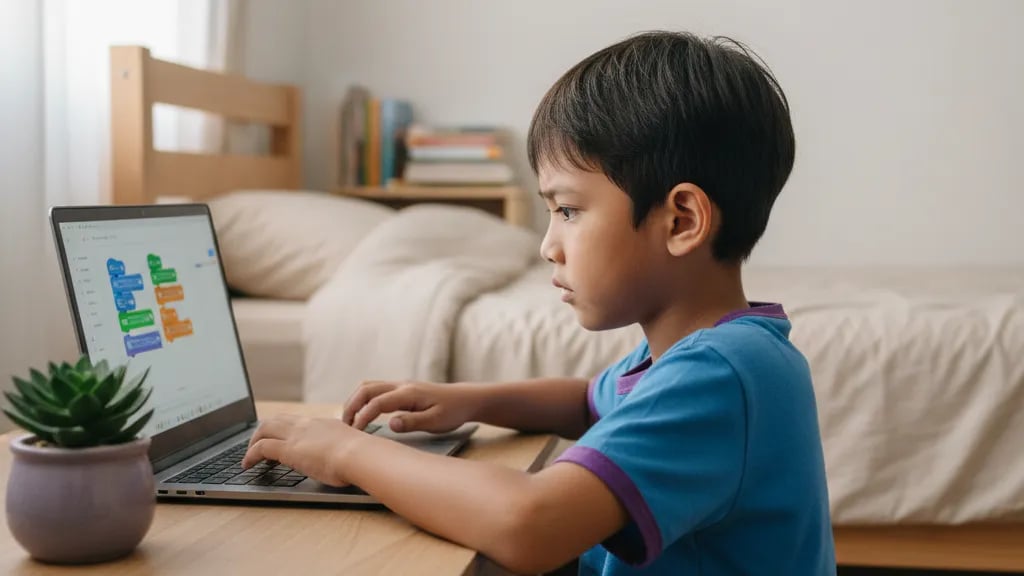
Passive screens put the child in the receiving seat: the next piece of content arrives on its own and no decision is required. Active screens put the child in the making seat: she picks a step, tries it, gets it wrong, and fixes it herself.
| Aspect | Passive screens | Active screens |
|---|---|---|
| Examples | Short videos, social feeds, cartoon reruns | Building games, digital drawing, writing code, editing own videos |
| Child's role | Watching and scrolling | Deciding and making |
| After the session | Nothing to show | A project that can be reopened and improved |
| When asked to stop | Often resists and asks for more time | Usually asks for time to finish one part |
| Effect on sleep | Hard to stop, often bleeds into bedtime | There is a clear finishing point |
That difference changes how you count. Many parents report their child's total screen hours barely moved after several months, yet complaints such as irritability, poor focus, and bedtime arguments dropped, because the mix had shifted.
What I ask parents is not how many hours their child spends on screens, but what the child can show once the screen goes off. The answer usually explains the problem straight away.
Maya Putri, Child Education Specialist
Replace one session, not all of them at once. The late-afternoon slot usually filled with short videos is the easiest target, because the child is not yet tired and still open to trying something new.
For primary schoolers, the route most Indonesian parents pick is the coding programme for primary school kids, with weekly projects the child can show the family. Children bored with playing and curious about the technology behind it usually fit better in AI classes for kids, where they train simple models instead of only using finished apps.
School holidays are both the riskiest and the easiest moment to start. A list of school holiday activities for kids helps fill the day without leaning on screens all afternoon.
Homework and online classes should be counted separately from entertainment screens. Lumping them together makes the total look alarming and pushes families into rules nobody can keep.
Split the day into three buckets: school and homework, structured learning outside school, and entertainment. Only the third bucket needs a hard cap.
What still applies everywhere is the break. Every 30 to 40 minutes in front of a screen, ask your child to stand up, look at something far away, and drink some water. That rule covers homework too, not only entertainment.
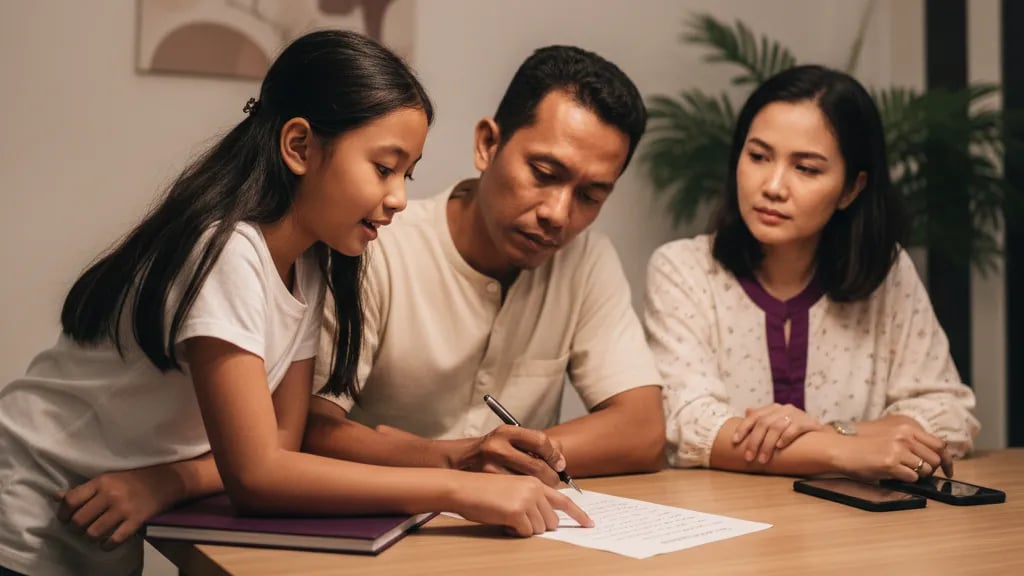
Rules written together with the child hold up far better than rules announced out of nowhere. Sit down for ten minutes at the weekend, write the agreement on a sheet of paper, and stick it on the fridge.
Three things need agreeing: when screens are allowed, for how long, and what signals that time is up. A clear signal cuts most of the arguing, for instance an alarm the child sets herself rather than a tablet suddenly taken away.
For meltdowns when the screen goes off, this order usually works: give a 5-minute warning, ask the child to save her own work, then have one replacement activity already waiting. Meltdowns rarely come from losing the screen. They come from having nothing to move on to.
If the same fight repeats daily, duration is rarely the root cause. The wider principles are covered in parenting children in the digital era, while a daily schedule for kids during school holidays helps when the structure of the day disappears and screens fill every gap.
A meltdown when the screen goes off is almost always about the transition, not the screen. Have one activity already waiting for the child, and half of the arguing disappears in the first week.
Maya Putri, Child Education Specialist
The last hour before bed should be screen-free. This is the single rule parents most often name as the change they felt immediately.
The piece most often skipped is teaching the child to judge content on her own. That habit grows through digital literacy for children, not through lifelong supervision.
Around 1 hour of entertainment screens on school days and 1 to 2 hours at the weekend is a realistic benchmark, although no official figure exists for this age group. WHO only sets caps up to age 4, so parents of primary schoolers need a different anchor. The most practical one is sleep: if your child still gets 9 to 12 hours a night, still plays outside, and still picks up books, the duration is probably fine. The clearest sign the total has crept too high is when screens start pushing bedtime later. If that happens, cut the last session and move the remaining screen time to the afternoon. Once sleep suffers, that number is too high for that particular child, regardless of what works in other families.
No, homework and online classes are better counted separately from entertainment screens, because the two have different effects on children. Merging everything into one number makes the total look frightening and pushes families into rules nobody can follow. Split the day into three buckets: school and homework, structured learning outside school such as tutoring or coding classes, and entertainment. Only the entertainment bucket needs a hard cap. A large total in a screen time app often looks alarming until live classes and homework are pulled out of it, and the real entertainment share turns out to be much smaller. What applies to every bucket is a break every 30 to 40 minutes and one screen-free hour before bed. Log a single week to see the real mix rather than guessing from how it feels.
Children can start coding from age 5 using visual block-based platforms, because at that age the process feels like solving a puzzle rather than memorising syntax. Algonova runs a staged route: ages 5 to 7 work with colour blocks and simple visual projects, ages 8 to 12 move into full Scratch and then Python, and ages 13 to 17 learn real programming languages alongside web projects. What separates this from passive screens is that the child always has something at the end of the session, such as a character that moves or a simple game a parent can play. Regular lessons run 90 minutes at every level, ages 5 to 7 included, broken up with pauses and changes of activity so the child is not sitting still throughout. For children under 5, WHO still advises no screens, so coding waits until school age. Children of 8 and above usually move straight into a first project with no settling-in period.
Two scheduled 90-minute sessions a week are enough to build the habit without adding to your child's total screen hours. The point is replacement, not addition. If Tuesday and Thursday afternoons were previously filled with short videos, those are the two slots to swap. Total screen hours stay the same and only the mix changes. Families who try to add classes without cutting entertainment usually quit within a month, because the child's schedule gets too crowded and the lesson starts to feel like extra homework. A safer path: run one session a week for the first fortnight, then add the second only if your child asks for it. Twice a week for three months shows clearer results than one long marathon a month. For younger primary schoolers, the short breaks built into the lesson are what keep focus going to the end.
A laptop or desktop with an up-to-date browser, a stable internet connection, and a headset with a microphone are enough for every Algonova class. Tablets and phones are not recommended as the main device, because children need to type and see two panels at once, the code on one side and the result on the other. Small screens frustrate them quickly and push them back towards entertainment apps. For children aged 5 to 7, an external mouse helps far more than a trackpad. A webcam is useful but not essential, since teachers look at the child's working screen more often than at her face. No expensive computer or dedicated graphics card is needed, since all the material runs in the browser with no heavy installation. Connection stability matters more, because a link that keeps dropping breaks the child's train of thought.
Online safety rests on three things: devices in shared spaces, closed platforms for classes, and a child who feels free to tell you what she ran into. Filters and parental controls help but never replace conversation. A child who knows she will not be scolded for reporting something strange comes to you much faster. Algonova classes run in closed rooms in Private (1 student), Mini (2-4 students), or Group (up to 10 students) formats with one certified teacher, without public chat or random outside participants, so the risk of contact with strangers is close to zero. Children also install nothing extra, because everything runs in the browser and the class link goes to the parent. The simplest addition, and the one most often forgotten: turn off autoplay and notifications, since both pull children towards content they never looked for. One short weekly chat about what she saw online usually beats checking her search history.
Yes, there is no difference in ability between girls and boys learning to code, and at Algonova both follow exactly the same curriculum. The difference that does show up is in project choice, not in learning outcomes. Many girls gravitate towards interactive stories, animation, and character design, while some boys head straight for competitive games. Both train the same problem-solving logic, so a child who starts with an animated story can move on to Python projects at the next stage. The Private (1 student) and Mini (2-4 students) formats help too, because quieter kids still get the teacher's attention. What matters is not gender but whether the first project feels close to what the child already enjoys. Algonova runs no separate learning tracks by gender anywhere in its programmes.
No, a child does not need to be strong at maths to start coding, and the order is often the other way around. Beginner coding uses sequencing and pattern logic rather than heavy calculation. The child lays out steps, tests them, then fixes the mistakes. Many parents report their child's maths marks improving after a few months of coding, because the child becomes more patient with problems that do not come out right on the first try. Coordinates, angles, and variables also show up naturally while moving a character around the screen. All a beginner really needs is the ability to read simple instructions and a willingness to try again after a mistake. For children who genuinely need support with numbers, Algonova runs a separate maths track that can go alongside coding. Teachers adjust the pace across the Private (1 student), Mini (2-4 students), and Group (up to 10 students) formats, so slower starters do not fall behind.
Give a 5-minute warning before time is up, ask the child to save her own work, then have one replacement activity already waiting. Meltdowns are usually about the transition rather than the screen. A child forced to stop mid-level with no idea what comes next will almost always fight it. An alarm the child sets herself works better than a tablet removed by a parent, because the decision feels like hers. For a child who complains of boredom once the screen is off, offer concrete options rather than open questions: a specific book, a board game already set up on the table, or the project she is working on. Two options are plenty, because too much choice makes children refuse everything. If this repeats daily for more than a month, a consultation with a child psychologist is worth considering. The 5-minute warning works best at the same time every day, not only when tempers run high.
Classes in Indonesia start from Rp 102,000 per lesson, and progress can be tracked through the projects your child finishes plus regular notes from the teacher. The most honest measure of progress is not a score but what the child can show you. After two months, most children have several projects they can open and explain themselves, such as a simple game with rules they designed. Teachers also leave notes after each checkpoint, so parents know which parts still need extra practice. Ask your child to explain one of her own projects at the end of each month, since explaining is the most honest sign of understanding. A free 60-minute Master Class is the cheapest way to see whether the format suits your child before committing to a subscription, and no card details are needed to try it.
Blog


Algonova worldwide
Contact
Whatsapp: +62 21 50996971
Email: info@algonova.id
Address
Coworking Area, Gedung IT 6 Lantai Dasar, Nongsa Digital Park, Jalan Hang Lekiu, Kelurahan Sambau, Kecamatan Nongsa, Batam, Indonesia Directorate General of Consumer Protection and Trade Compliance – Ministry of Trade of the Republic of Indonesia. WhatsApp Ditjen PKTN: 0853-1111-1010.
PT Algonova Indonesia Cerdas All rights reserved 2026
