How to Know Your Child's Talent: 7 Signs and a Strengths Checklist
Parent Guides9 min read
Learn Coding

Hafiz Rahman
Coding Curriculum Team, Algonova Malaysia

Roblox Studio or Scratch: for most children aged 8 to 10, Scratch should come first. Scratch is free, made for ages 8 to 16 and runs in a browser on a laptop or tablet. Roblox Studio is also free but needs a Windows or Mac computer with 3 GB of RAM or more, and the child types code in Luau. Choose Roblox Studio first only for a child who reads and types with ease.
The two tools teach the same ideas (events, loops, variables) through very different work on screen. The table uses the official help pages of Scratch and Roblox, checked on 23 October 2026.
| Scratch | Roblox Studio | |
|---|---|---|
| Made for | Ages 8 to 16 (ScratchJr for 5 to 7) | Creators of Roblox games, no age band given |
| How a child codes | Drags and snaps coloured blocks | Types Luau scripts, a language derived from Lua 5.1 |
| What they build | 2D games, animations, stories | 3D worlds and games that run on Roblox |
| Cost | Free | Free to use |
| Devices | Browser on computer or tablet; app for Windows, Mac, Android tablets and Chromebooks | Windows 10 or macOS 10.14 and newer |
| Account | Optional for the offline app | Roblox account needed to sign in |
| Reading load | Short block labels | Code, error messages and English docs |
Pick the tool your child can use alone for 20 minutes. A tool that needs an adult every two minutes ends up unused.
For a wider look at what children learn on Roblox, see our guide to Roblox for kids in Malaysia.
In Scratch a child builds a program by stacking blocks, and in Roblox Studio a child places 3D parts and then writes text code to make them act. That difference decides how much frustration an 8 year old meets in the first week.
Take the same small task: make a coin disappear when the player touches it. In Scratch it is three blocks: "when green flag clicked", "forever", and "if touching Player then hide". The blocks only fit together in ways that make sense, so a typo cannot break the game.
In Roblox Studio the child inserts a part, colours it gold and opens a script. The script needs a Touched event, a function and a line that destroys the part. One missing "end" or a capital letter in the wrong place, and the coin stays. Our step-by-step Roblox game guide shows this first script in full.
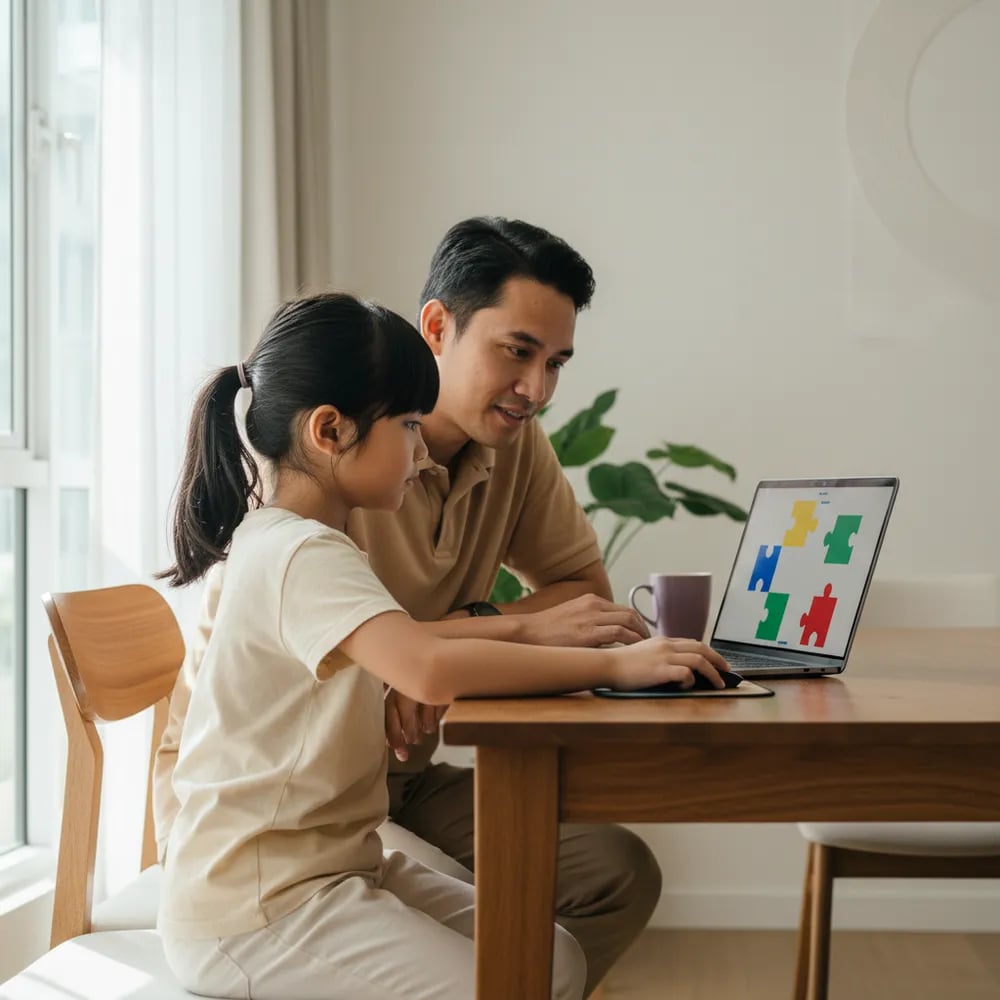
A child of 8 or 9 is usually still building reading speed in English or Bahasa Melayu. Blocks let them focus on logic. Typed code asks them to handle logic, spelling and syntax at the same time, which is why our first Scratch game guide works as a starting point for this age.
Scratch runs on almost any family laptop or tablet, while Roblox Studio needs a reasonably modern Windows or Mac computer. Check this before you promise your child anything.
According to the Scratch Help Center, Scratch works in current Chrome, Edge, Firefox and Safari on desktops, laptops and tablets. The Scratch app runs on Windows 10 and newer, macOS 12 and newer, and Android 8.0 tablets and Chromebooks. Phones can open projects but cannot be used to create them, and on tablets the "key pressed" blocks do not work.
The Roblox Studio setup page lists:
The setup page lists only Windows and macOS. If your home has only a tablet, a phone or a Chromebook, Scratch is the realistic choice for now.
Both tools have a community, and the safety settings differ more than parents expect. Scratch can be used with no account at all, while Roblox Studio always needs a Roblox account.
On Scratch, a child under the legal age of consent in their country needs a parent's permission, and Scratch asks for a parent's email. Scratch has no parental setting to switch off sharing or comments. Its help article for parents suggests three workarounds: do not confirm the account email, turn off comments on the profile and projects, or use the offline Scratch app.
On Roblox, age checks became required for chat worldwide from early January 2026. Chat inside games is off by default for children under 9 unless a parent agrees after an age check, and chat outside games stays restricted for under 13s. Before your child opens Studio, link the account to yours in Parental Controls and set chat and spending limits together.
Start with Scratch unless your child shows most of the Roblox signs below. Watch your child for two weeks before you decide, not one afternoon.
| Start with Scratch if your child | Start with Roblox Studio if your child |
|---|---|
| Is 8 or 9 and still reads slowly | Is 10, reads English confidently and types with ease |
| Has a tablet or Chromebook at home | Has a Windows or Mac laptop that meets the minimum |
| Gives up when something breaks twice | Retries a broken step without tears |
| Likes drawing, stories and short games | Already plays Roblox and asks how games are made |
| Has never coded | Has finished a few Scratch projects |
A child who ticks the right-hand column on three or more rows can try Roblox Studio first, with an adult nearby for the first scripts. Everyone else gains more from a term of Scratch.
The order most children manage well is Scratch first, then Roblox Studio once blocks feel easy. Here is a realistic plan for ages 8 to 10:
Algonova's coding course for ages 8 to 12 follows this order. Visual Programming in Scratch is for ages 8 to 11, Game Design with Roblox Studio and Lua is for ages 10 to 12, and each course has 36 live sessions. Both need a laptop at home. You can see all age groups on the Algonova coding courses page.
Scratch is the better first tool for most 8 year olds, because a child can build a working game without typing code. Scratch is designed for ages 8 to 16, uses drag-and-drop blocks and runs in a browser on a laptop or tablet. Roblox Studio asks the child to type Luau scripts, read error messages and manage a 3D scene, which is a lot to handle at 8 while reading is still developing. For example, making a coin disappear takes three blocks in Scratch and a short script with an event and a function in Roblox Studio. An 8 year old who already reads chapter books in English and types quickly may cope with Studio, but that is the exception. A term of Scratch first usually makes Roblox Studio much easier later, at around 10.
Yes, Roblox Studio is free to download and use, according to the Roblox Creator Hub. A child does need a Roblox account to sign in, and that account is the same one used to play games on Roblox. Building, testing and publishing a simple game in Studio costs nothing. The account is where parents should focus: link your child's account to yours through Roblox Parental Controls, then check the chat settings and spending limits before the first session. Since early January 2026, Roblox requires an age check before a user can chat, and chat inside games is off by default for under 9s unless a parent consents. Spending is a separate setting from Studio itself, so set a monthly limit of zero if you prefer no purchases at all.
The official Roblox Studio setup page lists only Windows and macOS, so plan on a Windows or Mac computer for building games. The minimum is Windows 10 or macOS 10.14 with 3 GB of RAM, and Roblox recommends Windows 11 or macOS 14 with 8 GB. A Chromebook or an iPad can play many Roblox games through the Roblox app, but playing and building are different things. For a family with only a tablet or Chromebook, Scratch is the practical option: it runs in the browser on tablets, and the Scratch app works on Android 8.0 tablets and Chromebooks. Many children start in Scratch on the family tablet, then move to Roblox Studio when a laptop becomes available, often around age 10. Check the RAM in the laptop settings before installing, because 3 GB is the floor and 8 GB runs Studio far more smoothly.
Roblox Studio uses Luau, a scripting language derived from Lua 5.1, according to the Roblox Creator Hub. Children write Luau in the Studio script editor to make parts move, respond to touch, keep score or open doors. Luau is a real text language: it has variables, functions, events and conditions, and small mistakes such as a missing "end" stop a script from running. That is why many teachers start children aged 8 to 9 on Scratch blocks, which teach the same ideas without spelling and syntax errors. Once a child understands events and loops in Scratch, the first Luau scripts make far more sense. A typical first Luau project is a part that changes colour or disappears when a player touches it, which takes about five lines of code. Roblox keeps its Luau guides on the Creator Hub, in English, so a parent may need to help with the reading at first.
Scratch is moderated and designed for ages 8 to 16, but it is an open community where children can share projects and leave comments. The Scratch team uses an automated filter and reviews reports of content that breaks its Community Guidelines. Scratch has no parental setting to switch off sharing or commenting, so its help pages suggest three options: leave the account email unconfirmed, which stops sharing and commenting; turn off comments on the profile and projects; or use the offline Scratch app with no community at all. A child under the legal age of consent in their country needs a parent's permission to use Scratch. For a child of 8, the offline app or an unconfirmed account is a sensible start, and you can open sharing later together once you have looked at the community side yourself.
Most children manage Roblox Studio comfortably from about 10, once they read English well and type without searching for keys. Roblox does not give an official starting age for Studio, so this is a practical guide, not a rule. Studio involves a 3D editor, typed Luau code and documentation in English, which is a heavy load for an 8 year old. Some 9 year olds who have finished several Scratch projects do fine with an adult nearby for the first scripts. Algonova's Game Design course with Roblox Studio is for ages 10 to 12, after Visual Programming in Scratch for ages 8 to 11. Watch for patience with errors: a child who retries a broken step calmly is ready sooner than one who gives up after two tries.
Yes, a child can skip Scratch, but it works best for children aged 10 or older who read and type confidently. Skipping makes sense when your child already plays Roblox, asks how games are made, has a Windows or Mac laptop and copes well when something breaks. The risk is the first month: a younger child who meets syntax errors every few minutes may decide coding is not for them. A short trial helps here. Give your child a simple Studio task, such as building an obstacle course from parts, and see whether they stay with it for 20 minutes. If they do, carry on. If they need help every two minutes, spend three to six months in Scratch first and come back to Studio afterwards. The ideas carry over, so the Scratch months are not lost time.
Most children aged 8 to 10 need about six months of regular Scratch practice before Roblox Studio feels manageable. That is roughly one or two sessions a week, enough time to finish several projects with variables, loops and levels. The right moment depends on skills, not on the calendar. Look for three signs: your child builds a game from an idea without a tutorial, fixes their own bugs, and starts asking for 3D or more realistic games. When all three appear, try Roblox Studio with a simple obstacle course first. Algonova's Visual Programming course in Scratch runs 36 sessions, and its Game Design course with Roblox Studio is for ages 10 to 12, which matches this order. If your child is already 10 and keen, a teacher can check readiness in a free class instead of guessing.
No, both Scratch and Roblox Studio are free to start, so you only need a suitable device and an internet connection. Scratch works in a modern browser on a laptop or tablet, and its offline app runs on Windows, Mac, Android tablets and Chromebooks. Roblox Studio needs a Windows 10 or macOS 10.14 computer with at least 3 GB of RAM and a free Roblox account. Neither tool requires a paid plan to build and test games. Roblox does sell in-game items, so set spending limits in Parental Controls before your child begins. A mouse helps with both tools, especially for dragging blocks in Scratch and moving the camera in Roblox Studio, but a laptop touchpad is enough for the first weeks. A simple wired mouse is the only extra many families end up buying.
Start your child's tech journey
Book your free 60-minute trial class with an Algonova certified tutor. No payment, no obligation, just discover what your child can build.

Algonova worldwide
Contact us
Email: int_legal@alg.team
Visit us
Suite 8634, 1021 E Lincolnway, Cheyenne, WY, Laramie, US, 82001
Algonova online LLC International tech school for kids and teens