Scratch is a block-based visual programming language developed by the MIT Media Lab (Lifelong Kindergarten Group) since 2007, under the direction of Mitchel Resnick. It is designed specifically for children aged 8 to 16 and lets kids build video games, animations, and interactive stories without writing text code. For younger children (5 to 7) there is ScratchJr, an adapted version created by Tufts University and MIT in 2014.
Scratch is free, available in Spanish and 70+ other languages, and runs in any web browser or computer with no install required. Since launch, more than 90 million users have created over 100 million projects. It is the world's most popular gateway to programming for kids and a natural foundation before moving on to languages like Python.
In Latin America, Algonova teaches Scratch as the first step of its online coding track for children aged 6 to 17, from US$ 7 per class, opening with a free 60 minute Masterclass with a live teacher. Algonova has taught more than 1,000,000 students across 97 countries since 2016, holds a 4.9 star parent rating and is a Bett MEA Awards winner.
History of Scratch: from MIT to the world
Scratch was born in 2007 at the MIT Media Lab, inside the Lifelong Kindergarten Group research team led by Mitchel Resnick. It was funded by the National Science Foundation (NSF), Intel Foundation, LEGO Foundation, and Google, with the goal of democratizing coding for kids.
Its technical lineage is clear: Scratch borrowed ideas from Squeak (a modern implementation of Smalltalk, created by Alan Kay), and its block engine later inspired Blockly (Google) and App Inventor (also from MIT). There is also an advanced fork called Snap!, developed by UC Berkeley, used in university-level courses.
Resnick's idea was simple but revolutionary: if a 6-year-old can build a castle with LEGO without instructions, they can also build a video game with code blocks. The approach is known as learning by making.
Version timeline:
- Scratch 1.0 (2007) is the desktop app
- Scratch 2.0 (2013) is the web version using Adobe Flash
- Scratch 3.0 (2019) is HTML5 and runs on tablets and mobile
- ScratchJr (2014) is for ages 5 to 7, built by Tufts University with MIT
Today Scratch is used in schools across more than 90 countries. Alongside Scratch, popular alternative platforms for kids include Code.org (with its Hour of Code) and Tynker, but Scratch remains the most used because of its open community and academic origin.
How does Scratch work?
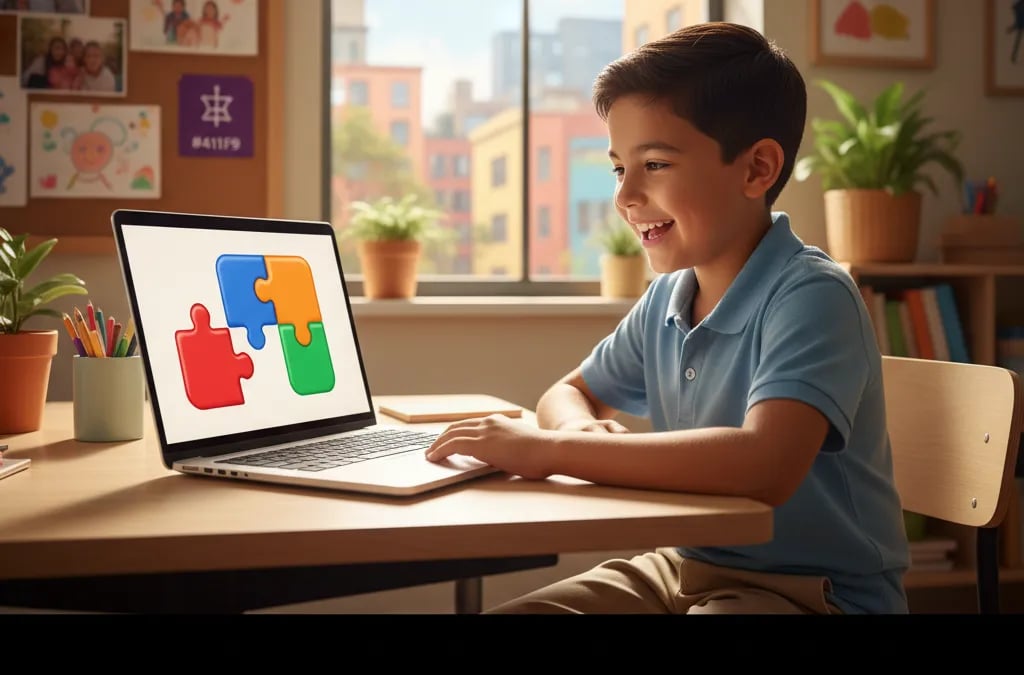
Scratch replaces text code with colored blocks that snap together like puzzle pieces. Each block is one instruction; if two blocks don't fit, it's because they don't make logical sense together, so the child never sees syntax errors, the main source of frustration in text-based languages.
The 9 block categories:
- Motion for move, turn, go to coordinates
- Looks for change costume, say, show/hide
- Sound for play sounds, change volume
- Events for triggers like "when green flag clicked"
- Control for loops, conditionals, wait
- Sensing for detecting keys, touching objects, timer
- Operators for math, comparisons, text
- Variables for storing score, lives, names
- My Blocks for creating custom blocks (functions)
Main project elements:
- Sprites are the characters or objects that act on stage
- Backdrops are the scenes where the action happens
- Costumes are different images of the same sprite, for animation
- Scripts are sequences of blocks that control each sprite
- Cloud variables are data shared between players in multiplayer projects
The simplest possible project (3 blocks): when the green flag is clicked, say "Hello!", move 10 steps. With those three blocks, the child already has a running program.
Your first Scratch project: a dancing cat (in 5 steps)
Here's the fastest project to get started. It takes less than 5 minutes and teaches the three pillars: event, motion, and sound.
- Step 1. Open scratch.mit.edu and click "Create" (you don't need to sign up to start).
- Step 2. Select the Cat sprite, which is on stage by default.
- Step 3. From the "Events" palette, drag the block "when green flag clicked" into the cat's code area.
- Step 4. Underneath, snap "move 10 steps" (Motion) and "play sound Meow" (Sound). Add "wait 0.5 seconds" between them.
- Step 5. Click the green flag. The cat moves and meows. Your child just wrote their first program, without typing a single line of code.
From there, you can loop the block so the cat dances repeatedly, change its costume to animate it, or add a backdrop. Each step introduces a new concept (loop, event, variable) naturally. This is exactly how an Algonova Masterclass opens: one free 60 minute session, one finished project, live teacher.
Scratch + hardware: physical projects with devices
Scratch is not just software. It can connect to educational hardware for robotics and electronics projects, the gateway to advanced STEM.
- BBC micro:bit (~£15): a microcontroller with LEDs, buttons and sensors. Perfect for a light-up bracelet, thermometer, or dice game.
- LEGO WeDo 2.0 (ages 5+): a LEGO kit with a motor and sensor. Pairs with Scratch to animate LEGO builds.
- LEGO Mindstorms EV3 (ages 10+): programmable robot with advanced motors and sensors. Used in FIRST LEGO League.
- MakeyMakey: turns any conductive object (even bananas) into keyboard keys. The famous banana piano is controlled from Scratch.
- PicoBoard: a board with light, sound, slider, and button sensors, in direct communication with Scratch.
With these tools, a child moves from coding animations on screen to coding real objects (robots, musical instruments, sensors). It's a concrete bridge between Scratch and engineering careers.
What is Scratch for? Real benefits
While it looks like a game, Scratch delivers concrete educational outcomes that can be named one by one.
1. Teaches computational thinking. Computational thinking, coined by Jeannette Wing (Carnegie Mellon, 2006), is the ability to break complex problems into logical steps, spot patterns, and abstract solutions. It's a core 21st-century skill per the World Economic Forum and now appears in school curricula in 30+ countries.
2. Builds creativity. Resnick's Lifelong Kindergarten concept argues the best way to learn is like in kindergarten: Imagine, Create, Play, Share, Reflect, and imagine again. Scratch embodies this full loop.
3. Foundation for STEM careers. The concepts (loops, conditions, variables, events) are identical to Python, JavaScript, or C++. A child who has mastered Scratch arrives at Python already understanding how a program is put together, so the move is about learning new syntax rather than new ideas.
4. Fosters global collaboration. The Scratch community (90M+ users) lets you view other projects' code and remix them, meaning modify them legally. This "remix culture" teaches kids to read code, not just write it.
5. Used officially in schools. Chile, Mexico, Colombia, Argentina, and Spain have school curricula that include Scratch. Learning it early gives a direct academic edge.
Scratch in school: for teachers and parents
Scratch has entered the formal education system. In Chile, the Ministry of Education (Mineduc) integrates Scratch into its official digital languages curriculum, with public resources at sitios.mineduc.cl/lenguajesdigitales. In Spain, INTEF (National Institute of Educational Technology) includes Scratch in its "Aula En Abierto" program, with free modules for teachers. In Mexico, state-level STEAM initiatives and several education ministries use it as the first coding language in elementary school.
For parents this means one concrete thing: learning Scratch at home is not wasted time, because many schools already require it. It is curricular content, not a pastime.
Benefits of Scratch by age
Ages 5-7 (ScratchJr):
- Hand-eye coordination via drag-and-drop with icon blocks
- First exposure to logical sequences ("first this, then that")
- Simple stories with characters that move
- No reading required
Ages 8-10 (Basic Scratch):
- Early computational thinking: breaking a problem into steps
- First video games: mazes, catch-the-object
- Simple loops and conditions
- Learning from mistakes in a visual, syntax-free environment
Ages 11-13 (Intermediate Scratch):
- Variables, lists, more complex math
- Online collaboration (remix culture)
- Interactive stories with multiple endings
- Projects with 100+ blocks
Ages 14-16 (Transition to Python):
- Cloud variables: multiplayer projects
- Public portfolio of projects (useful for college)
- Solid base before moving to real Python
- "My Blocks": introduction to functions
Looking for a teacher-guided path? Algonova offers live 1-on-1 coding classes with Scratch for kids 6 to 9, plus a full coding track for ages 10 to 13 using Roblox and Python for the next level, from US$ 7 per class.
What can you build with Scratch? Real examples
- Video games: mazes, platformers, catch-the-object, interactive quizzes, even basic RPGs
- Animations: short cartoons with dialogue, synced music, art expression tasks
- Interactive stories: tales where the player picks the ending ("choose your own adventure")
- Generative art: drawings that create themselves using loops and variables
- Digital music: sequencers, virtual instruments, auto-karaoke
- Science simulations: planet motion, simple ecosystems, collision physics
- School tools: calculators, interactive periodic tables, study quizzes
The site scratch.mit.edu hosts more than 100 million such projects, all public and all remixable.
How to start with Scratch in 4 steps
- Open scratch.mit.edu in a browser (free, nothing to install)
- Click "Create" to open the editor
- Pick a sprite and drag blocks from "Motion" or "Looks"
- Click the green flag to run your program
For preschool kids (5 to 7), download the free ScratchJr app on the App Store or Google Play. You don't need an expensive computer, because Scratch runs even on second-hand devices or entry-level tablets.
Tip for parents: the best first project is making the default Scratch cat say "Hello!" when the green flag is clicked. It takes 30 seconds and the child has already written their first program.
How to install Scratch Desktop (for offline use)
In regions with unstable internet, common in rural Mexico and LATAM, you can use Scratch Desktop, the free desktop version. Install in 3 steps:
- Go to scratch.mit.edu/download
- Download the installer for Windows 10+ or macOS 10.13+ (community builds exist for ChromeOS and some Linux distributions).
- Open the downloaded file, follow the wizard, and you're ready to code offline.
Offline projects are saved as .sb3 files that can later be opened in the web version to share.
From Scratch to Python: the natural next step
Scratch is the ideal starting point, but kids are usually ready to level up after 1 to 2 years of practice:
- 5-7 years: ScratchJr
- 8-12 years: full Scratch
- 10-14 years: start Python, a real text-based language used today in AI, data science, and web development
The transition is smooth because the concepts (loops, conditions, variables, functions) are already mastered; only the way they're written changes: instead of dragging a "repeat 10" block, the child types for i in range(10):.
If your child has been coding in Scratch for a year or more and wants bigger challenges, it's time for the jump. See also our full comparison: Scratch vs Python for kids: which to learn first
Summary
- Scratch is a block-based visual programming language from the MIT Media Lab (2007), directed by Mitchel Resnick, for kids aged 8 to 16.
- It's free, in Spanish and English, and runs in the browser at scratch.mit.edu, with an offline version (Scratch Desktop) available.
- Lets kids build video games, animations, interactive stories, and hardware projects (micro:bit, LEGO, MakeyMakey).
- Teaches the same concepts as Python or JavaScript: loops, conditions, variables, events, and develops computational thinking.
- With 100M+ projects and 90M+ users, it's the perfect base before jumping to Python.
Want your child to learn Scratch with a live 1-on-1 teacher? Book a free Masterclass at Algonova, a 60 minute session at no cost, for ages 6 to 17, with regular classes from US$ 7. You can also start with a free coding class.