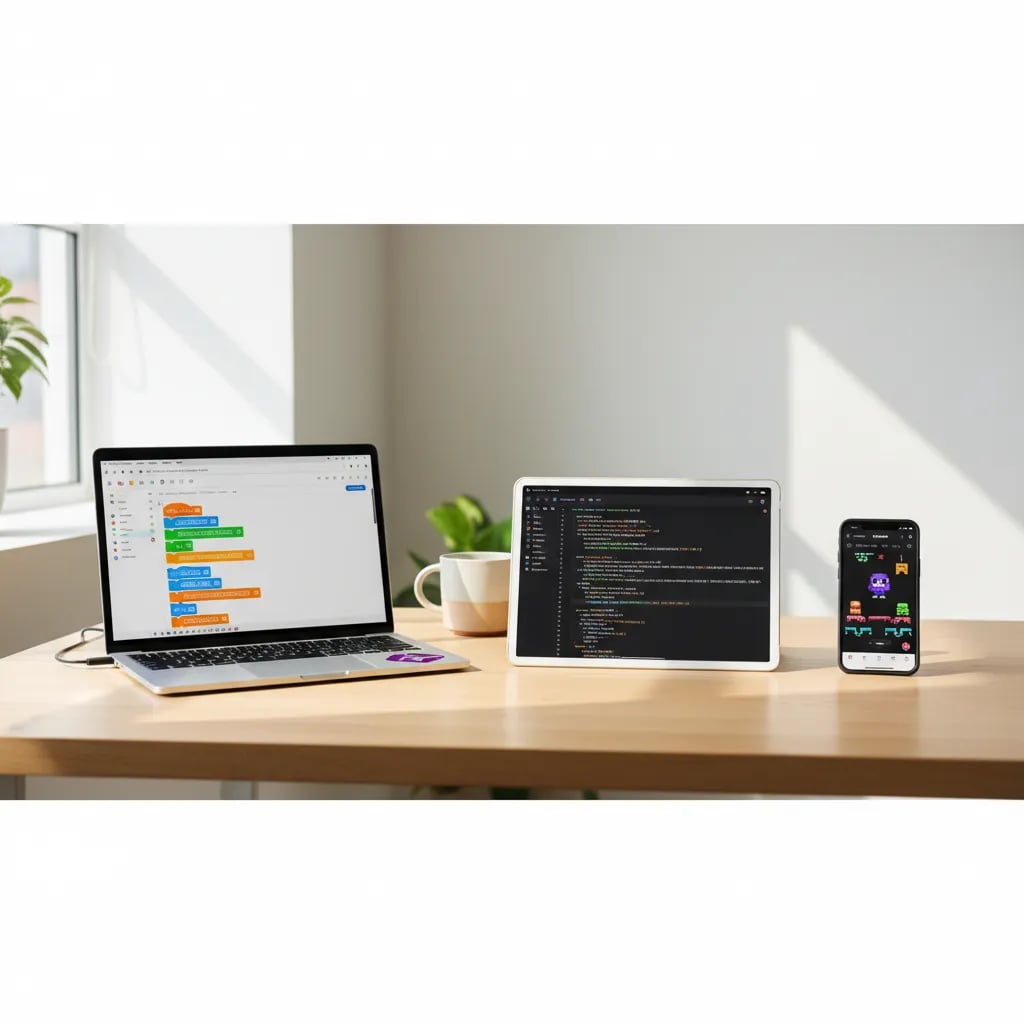
The best programming languages for kids are Scratch, Python, JavaScript, and Lua (through Roblox). Scratch is ideal for getting started between ages 6 and 9 with visual blocks; Python is the best first text-based language from age 10 on; JavaScript opens up the world of the web for teens; and Lua hooks kids who love Roblox. There's no single "best" language: the right choice depends above all on your child's age and how fluently they already read.
If you want the full picture, we recommend our complete guide to coding for kids. Here we focus on something more specific: which language works best by age, and why.
Is there a "best" first language?
The short answer is no: the best language is the one your child can use at their age without getting frustrated. A 7-year-old who can barely write shouldn't start by typing text-based code; a 12-year-old who already reads fluently will be bored by colorful blocks.
The key comes down to two things:
- Age and reading. Before ages 9-10, visual tools (drag-and-drop blocks) work better than writing.
- What excites them. If your child lives for Roblox, starting there motivates them more than any "serious" language.
Scratch: the best starting point (ages 6-9)
Scratch is visual block-based programming created by MIT, and it's the ideal start for most kids. Instead of writing, the child drags and snaps together colorful blocks as if they were Lego pieces.
- Ideal age: 6 to 9 years old (some start at 5 with support).
- What you can create: video games, animations, interactive stories, and digital cards.
- Difficulty: very low. No need to know how to write well or to know English.
The best part is that Scratch teaches the real logic of programming (sequences, loops, conditions) without the barrier of syntax. If you want to understand more, read what Scratch is.
Lua and Roblox: coding what they already love (ages 10-13)
If your child spends hours on Roblox, Lua is the perfect gateway to text-based programming. Roblox uses Lua, a simple language, so players can create their own games inside the platform.
- Ideal age: 10 to 13 years old.
- What you can create: complete games, worlds, and objects inside Roblox that their friends can play.
- Difficulty: medium. It's text-based, but with huge motivation behind it.
The big advantage is motivation: the child already knows Roblox and now moves from playing to creating. This also connects very well with robotics for kids, where code comes to life in the physical world.
Python: the best first text-based language (ages 10+)
Python is the most recommended text-based language to start with, because its syntax resembles plain English and it's forgiving of mistakes. It's the language used by companies like Google, Netflix, and NASA, so it's no "toy" language.
- Ideal age: 10 years old and up.
- What you can create: games, programs that draw, bots, and later on, artificial intelligence.
- Difficulty: low for a text-based language. It's clean and readable.
Python is the natural bridge after Scratch. If you're torn between the two, we'll help you decide in Scratch or Python. And if you've already made up your mind, here's everything about Python for kids.
JavaScript: the language of the web (teens)
JavaScript is the language that brings web pages to life, ideal for teens who want to create things that show up on the internet. Everything interactive you see on a site (buttons, games, forms) usually has JavaScript behind it.
- Ideal age: 13 years old and up.
- What you can create: interactive web pages, in-browser games, and simple apps.
- Difficulty: medium-high. It has more rules than Python.
It's an excellent choice once a teen has already mastered basic logic and wants to see their work published and shareable instantly.
ScratchJr and Blockly: for the youngest kids (ages 5-7)
For children ages 5 to 7 who aren't reading yet, ScratchJr and Blockly are the best introduction. They use blocks with icons and pictures instead of words, so there's no need to know how to read.
- ScratchJr: an app for tablet or phone where little ones create animated stories by tapping the screen.
- Blockly: the visual foundation of many educational games like Hour of Code.
They're the first step before making the leap to Scratch.
In what order should they learn them?
The recommended progression goes from visual to text-based, following the child's maturity. You don't have to learn them all: the ideal path is to move from one to the next as they grow.
- ScratchJr or Blockly (ages 5-7): first blocks, no reading needed.
- Scratch (ages 6-9): full logic with blocks.
- Python or Lua/Roblox (ages 10-13): first text-based language.
- JavaScript (ages 13+): the web and more advanced projects.
What matters isn't the speed, but that each step feels like an achievement and not like a test.
Quick reference table
| Language | Age | What for |
|---|---|---|
| ScratchJr | 5-7 | Animated stories, no reading needed |
| Scratch | 6-9 | Block-based games and animations |
| Lua (Roblox) | 10-13 | Creating games in Roblox |
| Python | 10+ | First text-based language, AI |
| JavaScript | 13+ | Interactive web pages |
A final tip for parents
Don't obsess over choosing "the right language": start with the one that fits their age and excites them. What really matters is that your child discovers that coding is about creating, not memorizing. If they start with something fun and at their level, they'll want to keep learning on their own. The rest comes with time.