
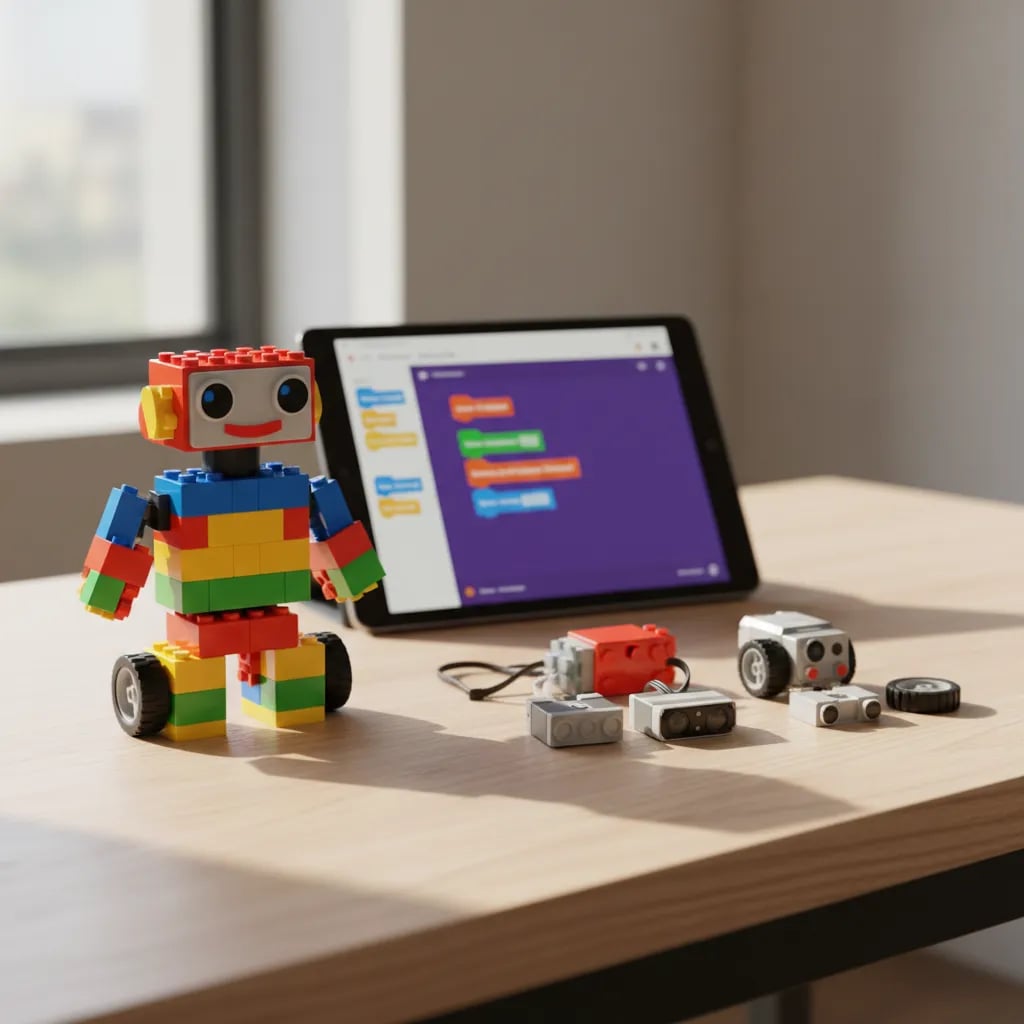
Robotics for kids is an activity, suitable from age 4 or 5, where children build robots and then program them to move, sense, or respond to their environment. It helps develop logical thinking, creativity, and engineering skills from an early age, combining two things into a single experience: building with your hands and programming with your head. From large Bee-Bot blocks to boards like Arduino, each stage has a tool matched to the child's maturity.
If your child builds towers out of blocks and at the same time asks you how things work on the inside, robotics could be their ideal place. Here we explain what it is, what your child learns, what age to start, and whether a physical kit or something more affordable is the better choice. If you want to see the full picture of the tech world for kids, we recommend our coding for kids guide.
What is robotics for kids?
Robotics for kids means building and programming robots using kits designed for their age. It has two parts that complement each other:
- Building: the child assembles pieces, motors, and sensors to give shape to a robot.
- Programming: afterward they give it instructions so that the robot does something—move forward, dodge an obstacle, turn on a light.
That second part is pure programming. That's why robotics and code go hand in hand: the robot is the body, and the program is what tells it what to do. Without instructions, a robot is just a pile of pretty plastic.
What does a child learn with robotics?
Much more than building a toy. Robotics works on skills that are useful both inside and outside of school:
- Logical thinking: understanding that every action has a cause and an order.
- Basic engineering: how motors, wheels, and sensors connect so that something works.
- Problem-solving: when the robot doesn't do what's expected, you have to find the error and try again.
- Teamwork: many projects are built in groups, dividing up the tasks.
- Patience and persistence: a robot rarely works on the first try, and that teaches kids not to give up.
It's science, but it feels like play. That mix is exactly what keeps kids hooked.
At what age can they start?
There isn't a single right age: there's a tool for every stage. What matters is that the level matches the child's maturity.
- Ages 4 to 6: large blocks and simple robots like the Bee-Bot, which are programmed by pressing buttons. No screens—everything is physical and intuitive.
- Ages 7 to 10: kits like LEGO WeDo, where you build a real robot and program it with visual blocks by dragging commands on the computer or phone.
- Ages 11 and up: boards like the micro:bit or Arduino, where they start writing real code and understanding electronics in greater depth.
The key is not to rush the stages. A 6-year-old doesn't need Arduino; they need to have fun building.
Robotics with a physical kit or virtual/simulated robotics?
Both options teach, but in different ways. And let's be honest here: you don't need to spend a lot for your child to get started.
Physical kit (LEGO WeDo, micro:bit, Arduino):
- In favor: the child touches, builds, and sees their robot move in the real world. Very motivating.
- Against: it costs money, takes up space, and sometimes the pieces get lost.
Virtual or simulated robotics (programming + on-screen simulators):
- In favor: it's cheap or free, and you learn all the logic of robotics without buying hardware.
- Against: it lacks that thrill of seeing the physical robot come to life.
The good news: the logic that drives a robot is the same logic your child learns by programming. If the budget is tight, starting with code and simulators is a perfectly valid path—and many kids jump to the physical kit later on, already with solid foundations.
Popular tools and kits
These are the most widely used options, from the simplest to the most advanced:
- ScratchJr and Bee-Bot: ideal for the youngest children. They're programmed with icons or buttons, with no need to read.
- LEGO WeDo and Spike Prime: they combine building and programming with visual blocks. Perfect for elementary school.
- micro:bit: a small, cheap board that's programmed with blocks or with code, great for making the jump to electronics.
- Arduino: the most complete option for teenagers who want serious robotics and electronics projects.
Many of these kits are programmed with environments similar to Scratch. If you want to understand that visual foundation, read what Scratch is.
Robotics or programming: where to start?
They're not rivals: programming is the brain of robotics. A robot without code does nothing, so at some point the two come together.
That's why many families start with programming, which is more accessible and cheaper. Kids start out with Scratch, learn to think in sequences and instructions, and then apply that same logic to a robot. Later on, those who get hooked usually move on to text-based languages like Python for kids.
If you want to explore what options exist by age, our article on programming languages for kids can be helpful.
A final tip for parents
Start with your child's interest, not with the most expensive kit. If they love building, a physical set will hook them; if they're more drawn to the screen and video games, programming may be the best gateway.
What matters is not buying the most sophisticated robot, but giving them a space to experiment, make mistakes, and try again. That curiosity—the desire to understand how things work—is what will truly stay with them their whole life. Robotics is just one of the many ways to spark it.