

Online Math Tutoring for Primary & Middle Schoolers: Options & Pricing 2026
Math Education8 min
Coding Education

Rina Kusuma
Senior Coding Instructor
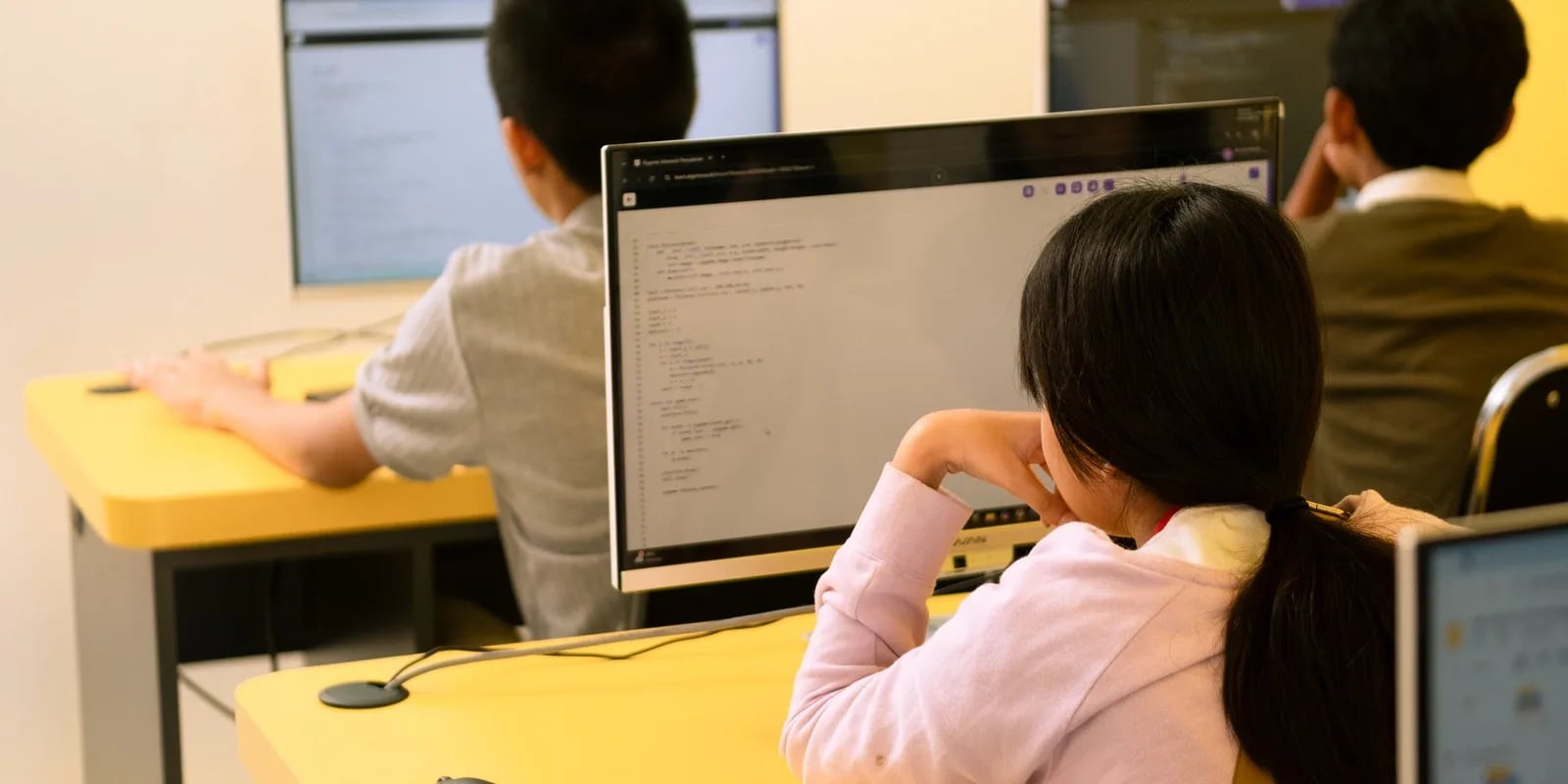
The most effective way to learn coding for beginners is 30 minutes of daily practice with a clear order: start with basic logic (not memorizing syntax), pick just one programming language, build small projects, and then level up gradually. Most people don't fail because coding is hard — they fail because they start in the wrong place and try to learn too many things at once.
This guide is written for two groups: teenagers in junior or senior high school who want to start on their own, and parents who want to guide their child to learn coding the right way from an early age. We'll walk through the exact steps, how to choose your first language, free tools you can use right away, and the most common mistakes that make beginners give up in the first week.
Coding is the way we give instructions to a computer using a language the machine can understand. Put simply, coding is like writing a very detailed recipe so the computer does exactly what we want — from showing animations and crunching numbers to running full applications.
In line with Indonesia's Kurikulum Merdeka, computational thinking has become more relevant than ever. A child who learns to code isn't just building programs — they're training a structured way of thinking: breaking big problems into small steps, recognizing patterns, and finding logical solutions. These skills carry over into every subject, not just computer class.
If you're still unsure whether coding fits your child, start with the basics in What Coding Is for Kids and Coding Explained.
This sequence works for both teens learning solo and younger kids guided by a parent. The only thing that changes is the tools — not the logic.
Start the right way from the very beginning. At Algonova, kids learn coding through LIVE online classes with certified teachers, so every mistake gets corrected on the spot. Try a free Master Class — 60 minutes — and see for yourself how your child learns.
This is the question that confuses beginners most. The answer depends on age and goal. Algonova groups children into three age stages, and here's a quick guide:
| Level / Age | First Tool / Language | Why It Fits |
|---|---|---|
| Preschool – early primary (5–7) | ScratchJr | Visual, drag-and-drop, no reading code |
| Primary (8–12) | Scratch | Visual blocks; learn logic through games & animation |
| Junior & senior high (13–17) | Python, then advanced Python + Web (HTML/JS) | Simple, English-like syntax; ready for AI, data, and app development |
For most beginners, Python is the best choice as a first text-based language because its syntax is clean and easy to read. But for younger kids, don't jump straight to text — begin with Scratch so they grasp logic without the burden of typing code.
The ideal path we recommend: ScratchJr → Scratch → Python. Learn more about Python for Kids and Coding for Primary School Kids to understand each stage.
Good news: you don't need to buy anything to begin. Here are some popular, beginner-safe free tools:
Free tools are excellent for trying things out. But many parents find that kids lose direction when learning alone — no one corrects their mistakes, there's no structure, and motivation fades fast. This is where structured guidance makes a big difference.
Knowing these traps early will save a lot of time and frustration:
For kids, the biggest mistake is usually the lack of guidance. You can read why learning with a teacher matters in The Benefits of Coding for Kids.
While self-teaching is possible for highly disciplined adults, beginner kids and teens learn far more effectively with guidance. The reason is simple: children need structure, instant feedback, and the motivation that comes from real interaction.
At Algonova, kids learn in LIVE online classes (not pre-recorded videos) with certified teachers, in Private (1 student), Mini (2-4 students), and Group (up to 10 students) formats. That means every child gets attention, every question is answered right away, and every mistake is corrected before it becomes a habit. Since 2016, more than 1,000,000 alumni across 97 countries have learned this way.
Before starting, your child takes an AI-based talent diagnostic to find the right starting point — whether to begin with Scratch or jump straight to Python. So no time is wasted at a level that's too easy or too hard. See the full program path on our coding classes page.
Learning to code as a beginner isn't actually complicated — the key is the right order, one language to start, regular practice, and proper guidance. Don't wait for the "perfect moment." A small first step today is worth more than a grand plan that never begins.
If you want your child to start with a strong, well-guided foundation, the best way is to try it directly. Sign up for a free 60-minute Master Class with an Algonova teacher — at no cost — and see for yourself whether our method is the right fit for your child.
Want your child to start coding? Try a free Master Class.
The easiest way to learn coding as a beginner is to follow the right order: understand the logic first, pick one language (Scratch for kids, Python for teens), build small projects, then practice 30 minutes a day consistently. A child can start from zero with no experience, and free tools are enough to try it out. For more guided learning with a teacher, see the program tiers on the coding classes page, or try a free coding class so your child takes a diagnostic and finds the right starting point.
Yes, Algonova Indonesia runs a full coding program for kids aged 5 to 17, covering kindergarten through senior high. It splits into three age tracks: Little Coders for ages 5 to 7 using visual block based coding, Junior Coders for ages 8 to 12 using Scratch and the fundamentals of programming logic, and Teen Coders for ages 13 to 17 using Python and game development. Every class is live online with certified teachers in small groups of up to 10 students. Kids build a real project from the first session rather than memorising syntax. Algonova has taught more than 1,000,000 students across 97 countries since 2016.
Yes. For the coding track Algonova Indonesia offers a free 60 minute master class with no commitment. No credit card is needed and there is no auto subscription afterwards. Note that these 60 minutes are an introductory master class, not a regular lesson. A regular coding class runs 90 minutes. During the master class the child works directly with a certified teacher, tries the online learning platform, and finishes a first small project matched to their age. After the session parents receive a personal learning track recommendation plus a transparent explanation of program, schedule, and pricing from Rp 102,000 per lesson. To book, fill in the form on the website.
Algonova Indonesia coding classes come in three formats: Private with one student per teacher, Mini group of 2 to 4 kids, and Group of 6 to 10 kids of similar age and level. The small group format exists because coding gets stuck on very specific lines of code, and a child needs a teacher who can look at their screen when it happens. In a Mini group the teacher checks each child's screen several times per session. The Private format is the most intensive and suits competition preparation, independent projects, or a child who wants to move faster than the group.
Kids coding at Algonova Indonesia starts from Rp 102,000 per lesson. The price covers the live session with a certified teacher, digital learning materials, online platform access, and an official certificate once the child completes each program level. The starting rate is the same across all age tracks. The final quote depends only on class format, meaning Private, Mini, or Group, and on how many sessions per week you choose. Group is the most affordable option and Private is the most intensive. Full pricing is shared after the free master class and before formal enrolment, with no surprise fees. To get a quote, fill in the form on the website.
Yes, every Algonova Indonesia coding program runs fully online with live sessions taught by certified teachers, not recorded videos. Kids learn in real time in small groups, with live Q&A and code written alongside the teacher during the class. To join, a child needs a computer or laptop with a camera, a stable internet connection, and a headset. The Algonova platform runs directly in the browser, so no special software installation is required and no expensive machine is needed. Because everything is online, families anywhere in Indonesia can join and easily fit lessons around school.
Three things make Algonova coding effective for Indonesian kids: project based learning, a staged track, and small groups. Every session produces something that runs and can be shown to a parent, which keeps motivation alive far longer than theory alone. The track climbs gradually from visual block based coding to Python, so a child never jumps into a text language before their logic is ready. Small groups of up to 10 students let the teacher adjust pace: faster kids get extra challenges and stuck kids get help inside the same session. The material also lines up with coding and artificial intelligence entering the Indonesian school curriculum.
That is fine, most Algonova students start from zero with no coding experience at all. Every new child begins with the free master class, where the teacher watches how they solve problems and picks the right starting point. Kids aged 5 to 7 start with visual block based coding and do not need to type fast yet. Older kids can start with Scratch and move up to Python once their logic is solid. All that is required is basic reading and curiosity. Parents do not need to understand programming to support the child, because every task is explained by the teacher during class.

Algonova worldwide
Contact
Whatsapp: +62 21 50996971
Email: info@algonova.id
Address
Coworking Area, Gedung IT 6 Lantai Dasar, Nongsa Digital Park, Jalan Hang Lekiu, Kelurahan Sambau, Kecamatan Nongsa, Batam, Indonesia Directorate General of Consumer Protection and Trade Compliance – Ministry of Trade of the Republic of Indonesia. WhatsApp Ditjen PKTN: 0853-1111-1010.
PT Algonova Indonesia Cerdas All rights reserved 2026
